 Biombo
Crypto Tracker for iPhone Duo: Prices Folded or Open
Updated
On iPhone Duo you can follow crypto prices in three layers: a watchlist on the cover display when the phone is closed, a board of charts when it's open, and a desk ticker when it stands up like a tent. Biombo is a read-only crypto price tracker built around those postures. It also runs on regular iPhones and on iPad, with no account and nothing to connect.
What to look for in a crypto tracker on iPhone Duo
Most crypto apps are built for one screen shape and stretch to fill the rest. On a foldable that wastes the best parts of the device. A tracker that suits iPhone Duo should:
- answer "how's the market?" at a glance on the cover display, without opening the phone;
- show more when you open it, like several charts at once, not one chart made bigger;
- keep prices and buttons out of the fold when the phone is half open;
- work without an exchange login if all you want is to watch prices.
Closed: your watchlist and portfolio on the cover display
With the phone closed, Biombo fills the cover display with your watchlist: price, 24-hour change and a small chart for each coin. If you add your holdings, the portfolio total and the day's change sit on top, under a small landscape drawn from your last 24 hours.
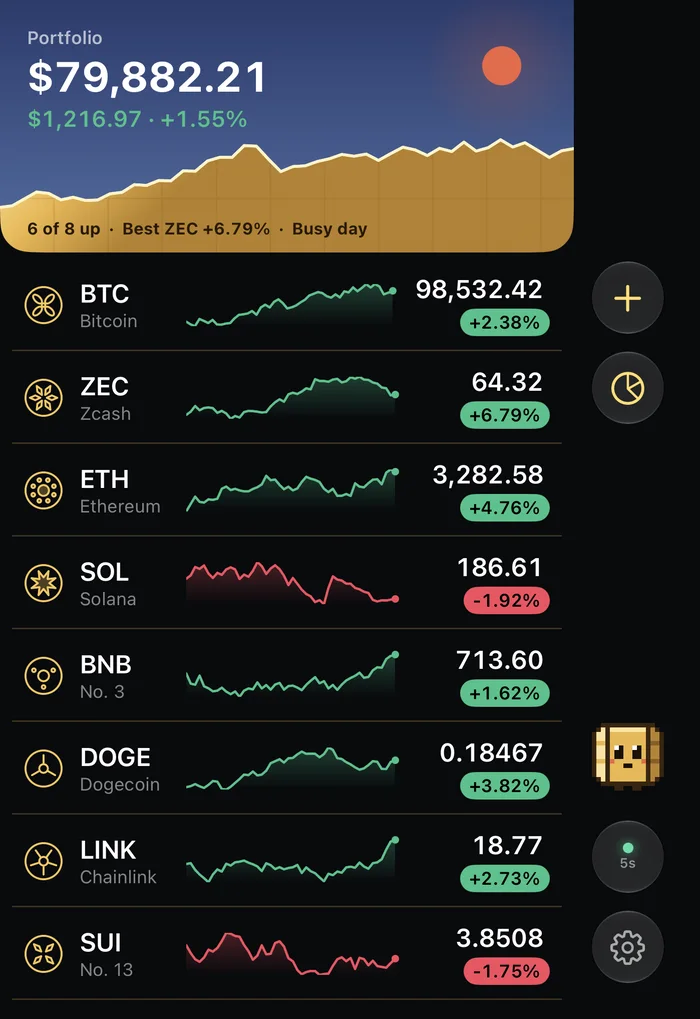
The controls live in the bar along the side, as iOS does on the cover display, so the list gets the full height.
Open flat: up to four candlestick charts and a market map
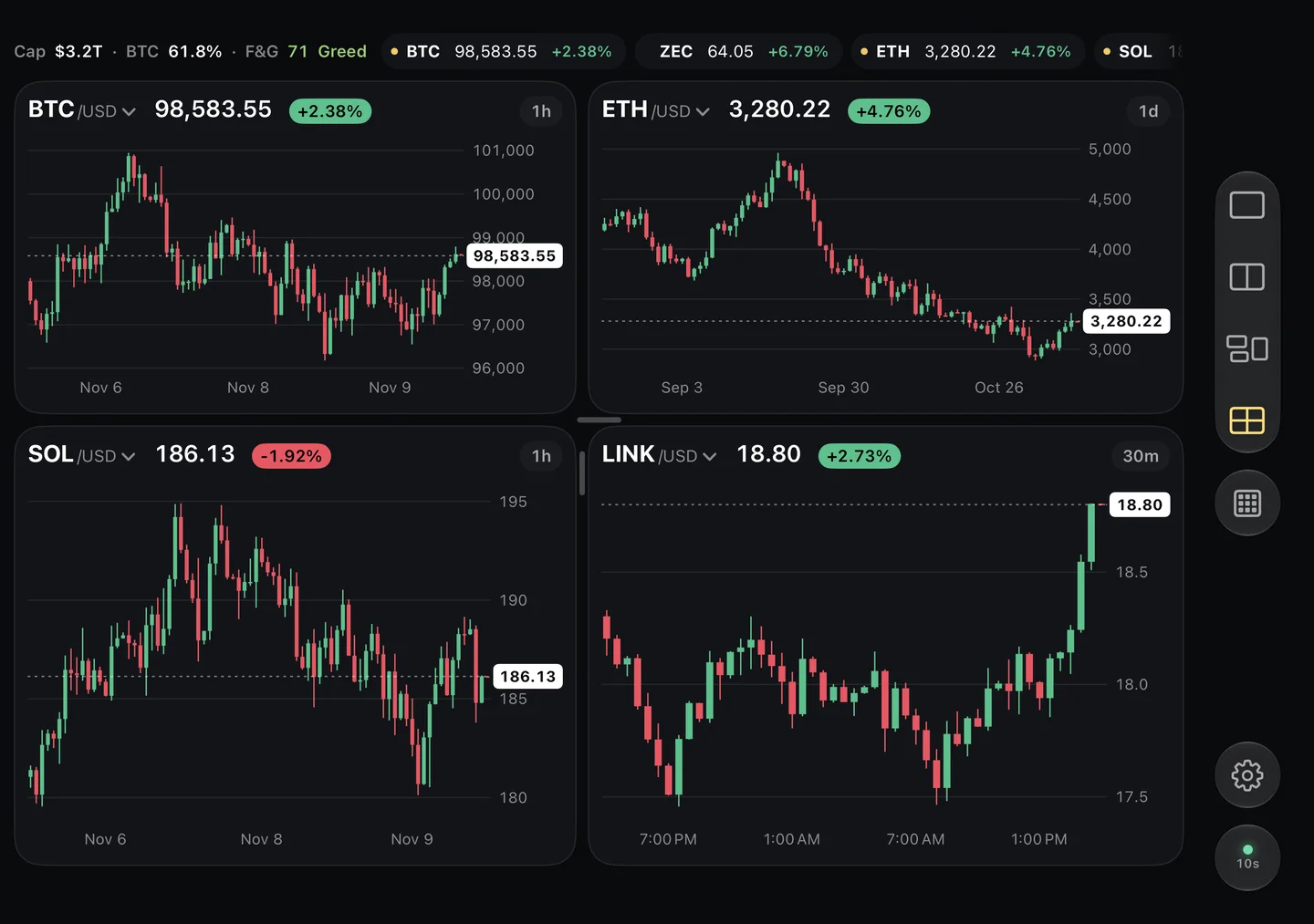
Open the phone and the inner display becomes a board. You can show one, two, three or four candlestick charts side by side, each with its own coin and interval: 30 minutes, 1 hour, 4 hours or 1 day. The dividers between charts snap to the fold, so no candle disappears into the crease.
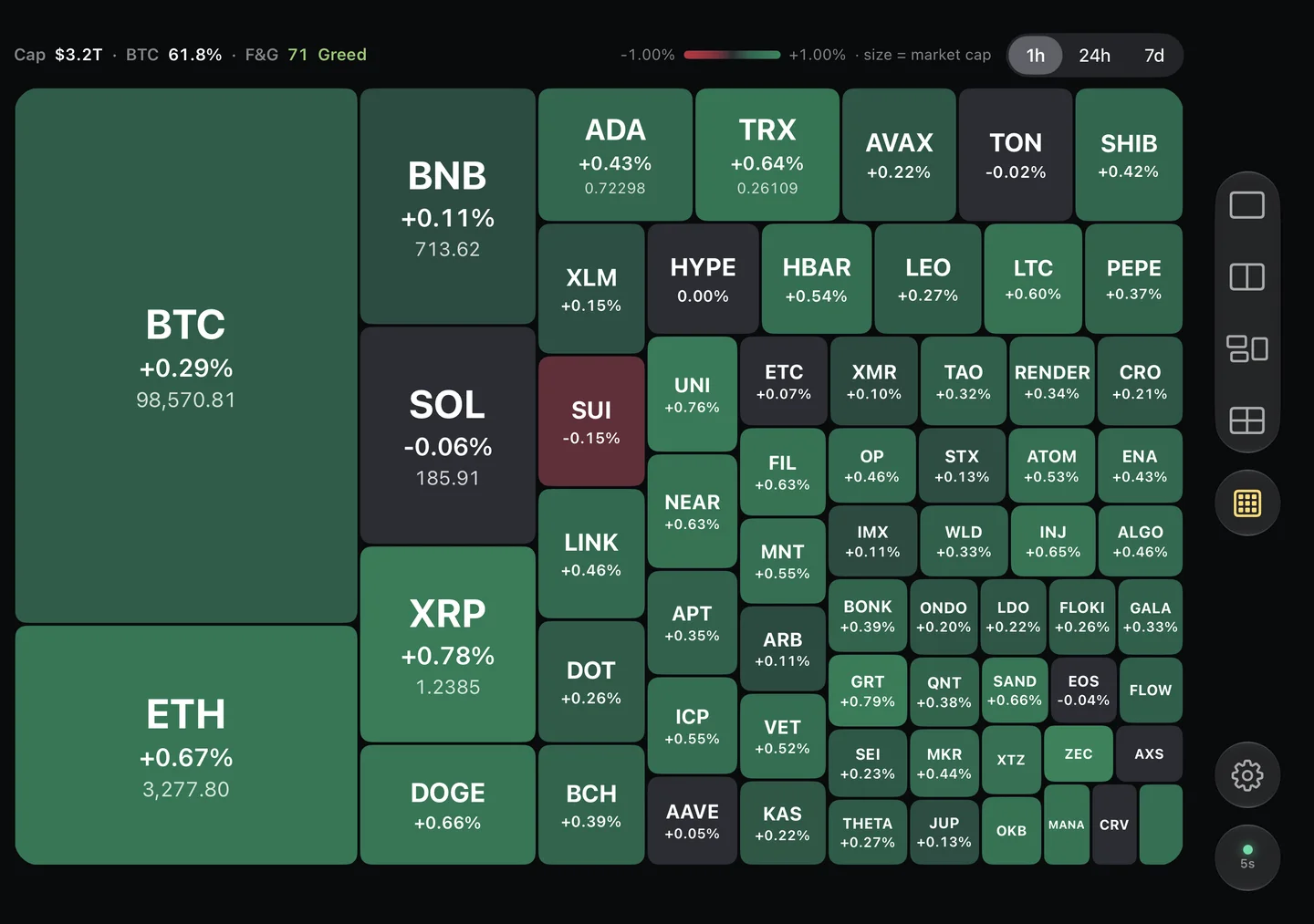
The other view is a market map, a heatmap of the top coins sized by market cap and colored by how much they moved, with Bitcoin dominance and the Fear & Greed index along the top.
Half folded: a chart with its details
Bend the phone halfway, like a book or a small laptop, and Biombo uses the fold as a divider: a chart on one half, and the exchanges, 24-hour stats and your watchlist on the other. It's a comfortable way to read one coin closely without holding the phone fully open. The postures guide explains book and laptop mode in more detail.
Standing: a ticker for your desk
Stand the phone up like a tent and the cover display shows one coin at a time in large type, with its chart and the next coins in your watchlist, cycling every few seconds. It's covered in a Bitcoin desk ticker on iPhone Duo.
Privacy: no account, no exchange connection
Biombo only shows market data. You can't buy or sell, and it never asks for an exchange login or API keys. There's no sign-up.
The portfolio is something you type in by hand, and it stays on your iPhone and in your own iCloud. Biombo's server, which fetches the market data, only learns which coins and chart intervals to load, never what you hold. There's also a switch to hide amounts when you're using the app in public.
On other iPhones and iPad
Biombo works on any iPhone and iPad with iOS 26 or later. On a regular iPhone you get the watchlist, the coin details and the charts; on iPad, the charts board and the market map. The folding layouts are specific to iPhone Duo.
The details
- Live prices every 15 seconds for Bitcoin, Ethereum, Solana and the top 250 coins by market cap.
- Candlestick charts in 30-minute, 1-hour, 4-hour and 1-day intervals.
- Prices in US dollars, euros, yen or pounds.
- English, Spanish and Japanese.
- A one-time purchase, US$9.99 in the US (prices vary by country). No subscription and no in-app purchases.
FAQ
What's the best way to track Bitcoin on iPhone Duo?
Keep a watchlist on the cover display for quick checks, open the phone when you want charts, and stand it up in tent mode when you want the price on your desk. An app designed for iPhone Duo, like Biombo, handles all three.
Can I buy or sell crypto in Biombo?
No. Biombo is read-only. It shows prices, charts and a portfolio you enter yourself.
Does Biombo have a home screen widget?
Not in version 1.0. On iPhone Duo the cover display covers much of the same need: if Biombo is the app you're using when you close the phone, it carries on there with your watchlist.
How often do prices update?
Every 15 seconds while the app is open.
Do I need an account?
No. There's no sign-up, and your portfolio stays on your device and in your iCloud.
You can get Biombo on the App Store for iPhone Duo, iPhone and iPad.